
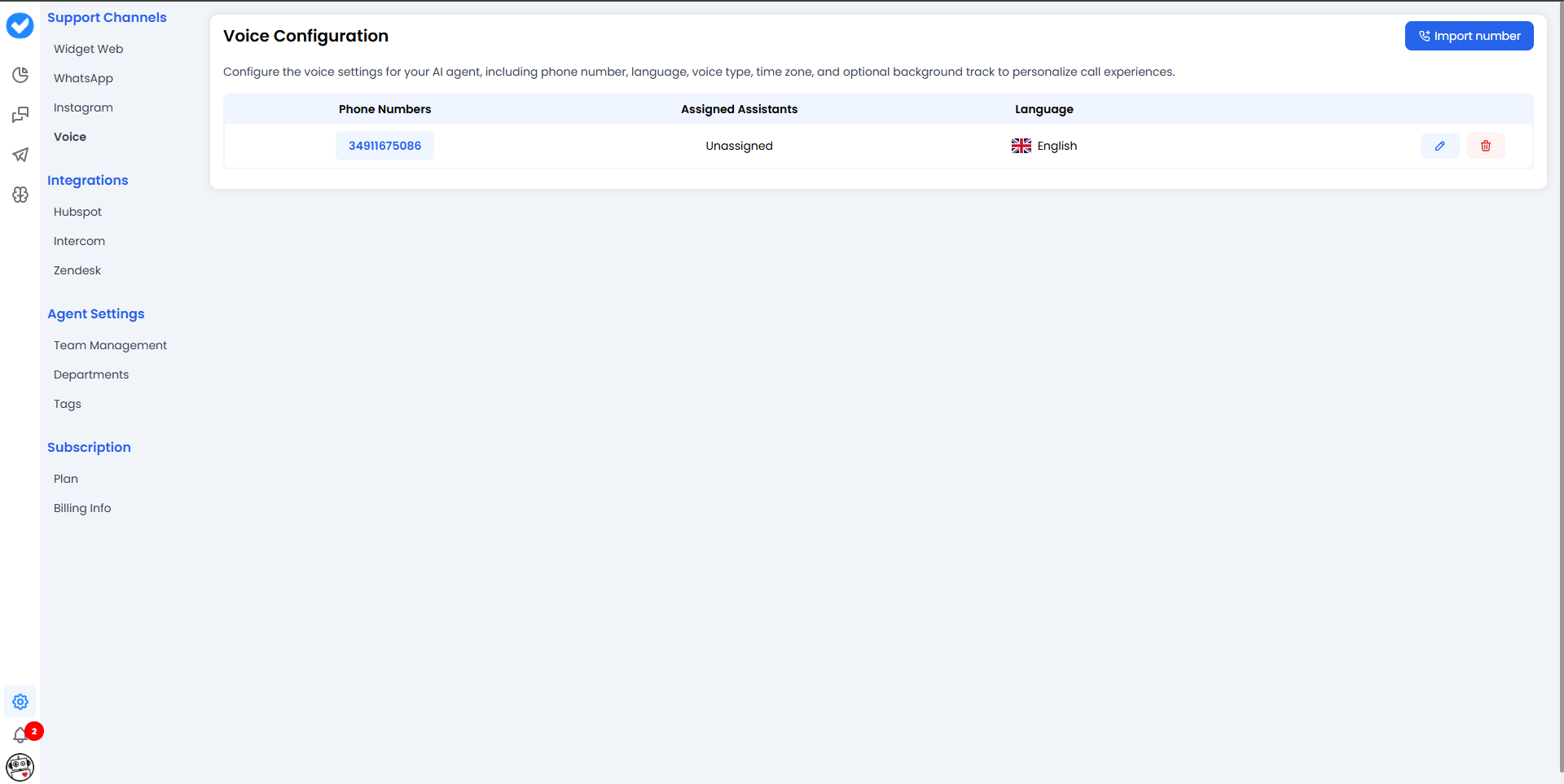
📥 1. How to import a number (Step-by-step)
To start, click the main Import Number button. The system will ask you who your current provider is. Depending on your choice, the process changes slightly:Option A: Import from Twilio 🔴
If you select Twilio, an import sidebar will open looking like this: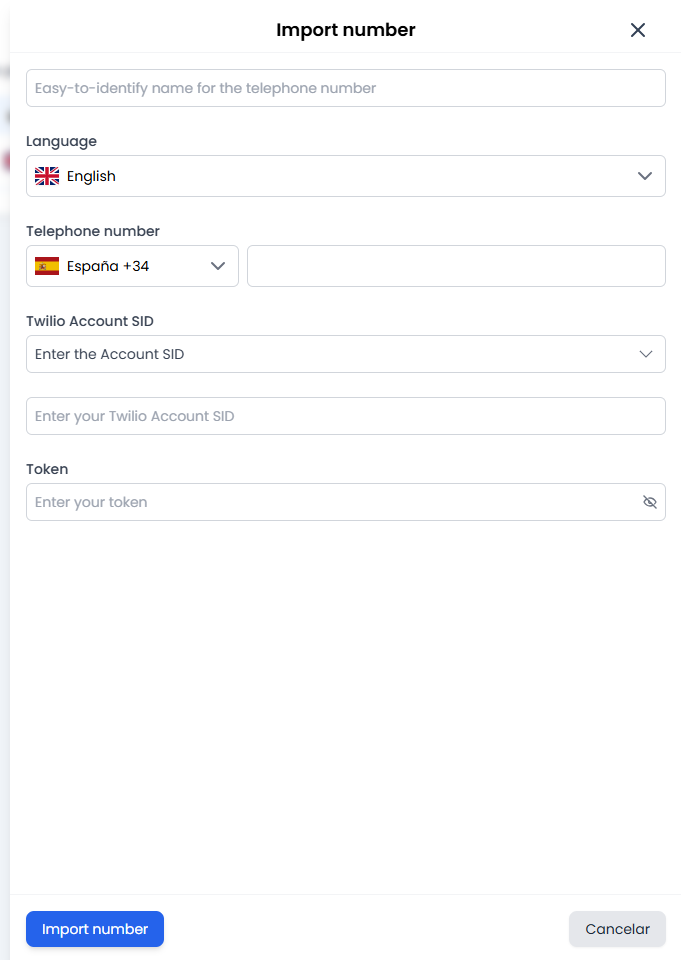
- Internal Name: Give it a name to help you identify it (e.g.
Sales_Support_Spain). Note: Your customers won’t see this name; it’s strictly for your internal use. - Language: Select the main language for the line. All EU and US languages are available.
- Phone Number: This is split into two parts. First, select the dialling code (e.g. +34 for Spain, +1 for the US) and then type in the line number without the dialling code.
- SID & Token: These are the “keys” to your Twilio account. The SID identifies your account, and the Token gives us secure permission to verify and use it.
Option B: Import from Ringover 🟢
If you select Ringover, the process is much faster and more straightforward: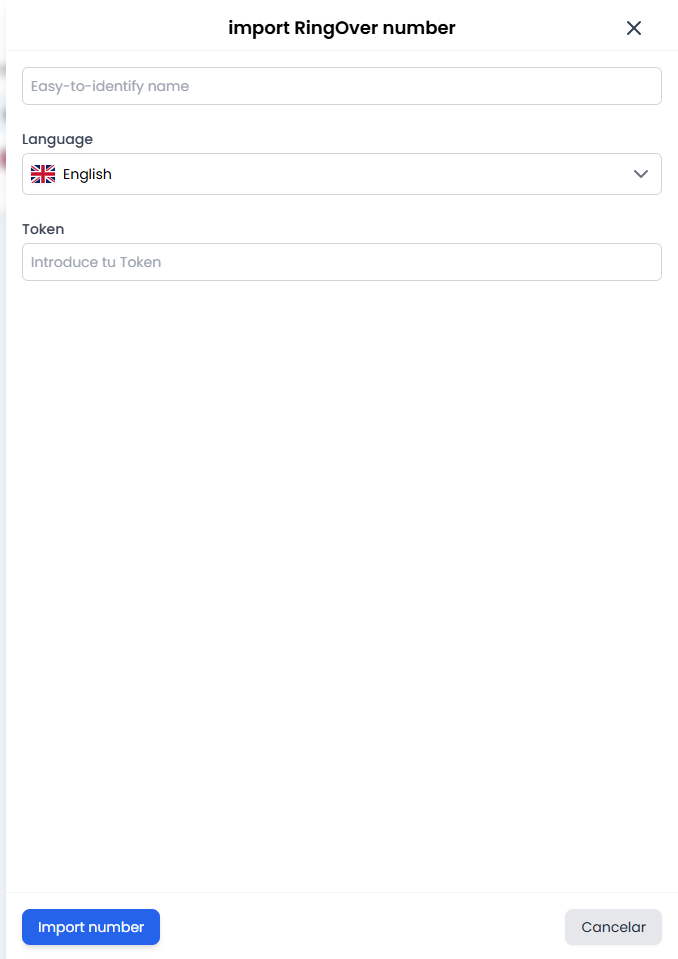
- Internal Name: Just like before, give it a recognisable name.
- Language: Select the language.
- Token: Paste your Ringover security key.
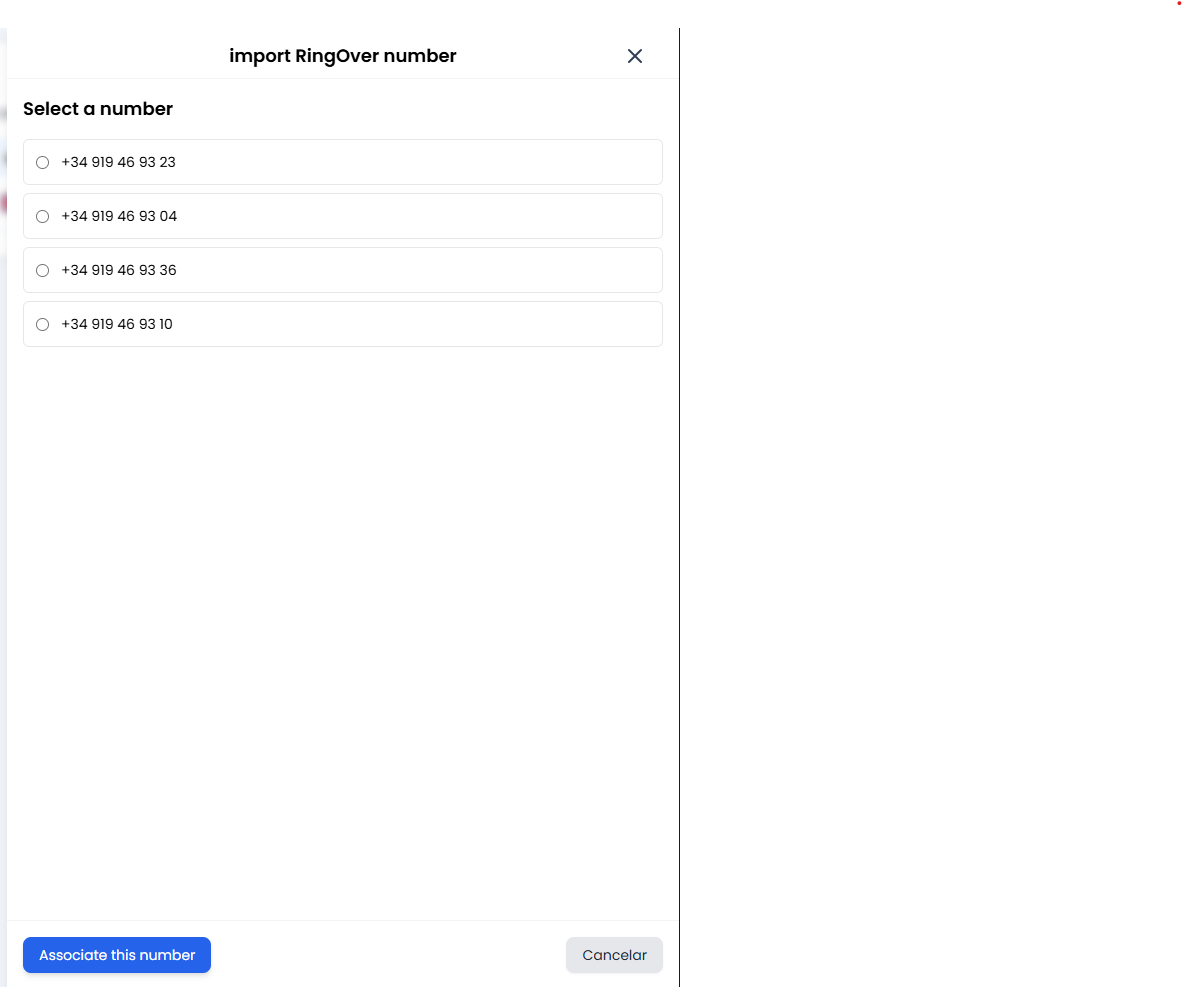
- The magic 🪄: When you click “Import”, you don’t have to type the number in manually. The system will connect to Ringover, show you a dropdown list with all your available numbers, and you just have to click the one you want to use. It’s that easy!
🤖 2. Management: Assigning a voice to your number
Brilliant! You now have the number on the platform. So, who answers it? In your numbers management view, you will see the configuration for your AI Assistants.- Assistant Selector: Here you’ll see a dropdown menu. Heads up: You won’t see all your chatbots here. The system is smart and will only show you assistants that actually have voice capabilities (Voice AI).
- Assistant Language: Define which language your assistant will speak and listen in during the call. Make sure it matches the audience calling that number.
🎓 Best Practice Summary (Cheat Sheet)
- Descriptive names: Don’t call your number “Number 1”. Use names like
Support_Line_ESorSales_Miami_US. Your future self will thank you when you have 20 imported numbers to manage. - Mind the languages: If you import a US number (+1) but set the assistant’s language to Spanish (
es), the bot will speak Spanish to customers who were likely expecting English. Always align the dialling code with your Assistant’s language. - Token security: Tokens are passwords. Copy them directly from Twilio or Ringover and make sure you don’t accidentally leave any blank spaces at the end when pasting them.
🆘 Quick Troubleshooting
You’re all set for your AI to start answering calls like a pro! 📞🚀
For voice on your website (the visitor talks in the browser, without dialling a number), see Voice widget.