
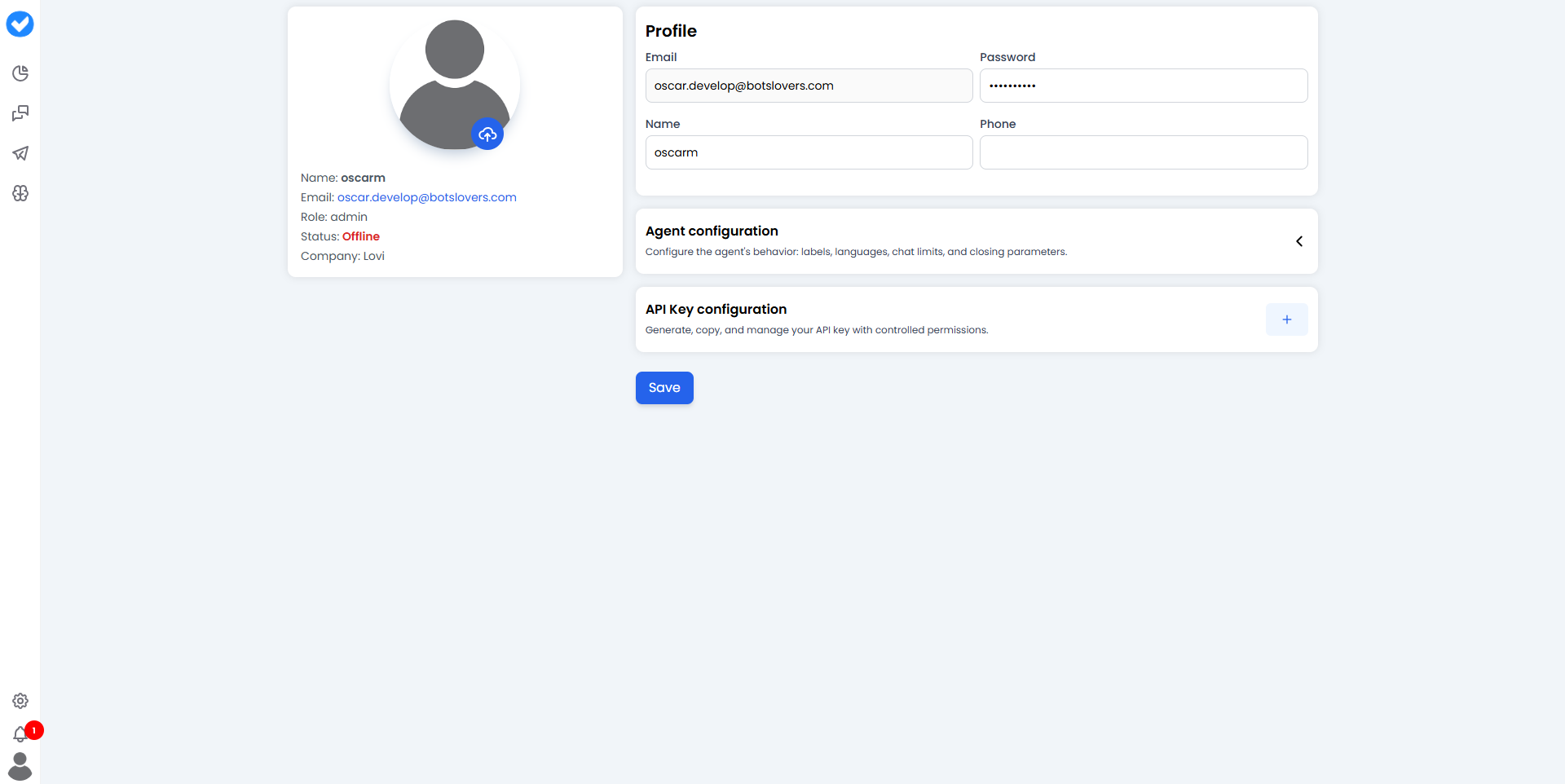
👤 1. My Profile: Who are you?
This is your digital ID card within the platform.- Personal Data: Update your Name, Phone, and Password to keep your account secure and recognizable.
- The Sidebar Info: On the side, you’ll see your non-changeable “DNA”:
- Role: (e.g., Admin or Agent) — this defines what buttons you can see.
- Status: (Online / Offline) — whether you are ready to receive chats.
- Company: The organization you belong to.
⚙️ 2. Agent Configuration (Admin Only)
If you are an administrator, you don’t just manage yourself; you manage how humans behave in the system. This section defines the “rules” for the Livechat agents:- Labels & Languages: What tags can they use and which languages do they master?
- Chat Limits: How many simultaneous conversations can one human handle before the system stops sending more? (Preventing burnout! 🧘)
- Closure Parameters: Rules for how and when a conversation is officially marked as “Done.”
🔑 3. API Keys: The Digital Passports
API Keys allow external systems (like your CRM, website, or custom apps) to connect to this platform securely.Creating a Key
When you generate a new key, you are creating a “secret handshake.”⚠️ Critical Security Note: You must copy your API Key immediately after creating it. For your safety, the system will hide it forever after you close the window. If you lose it, you’ll have to delete it and create a new one.
Permissions (Scopes)
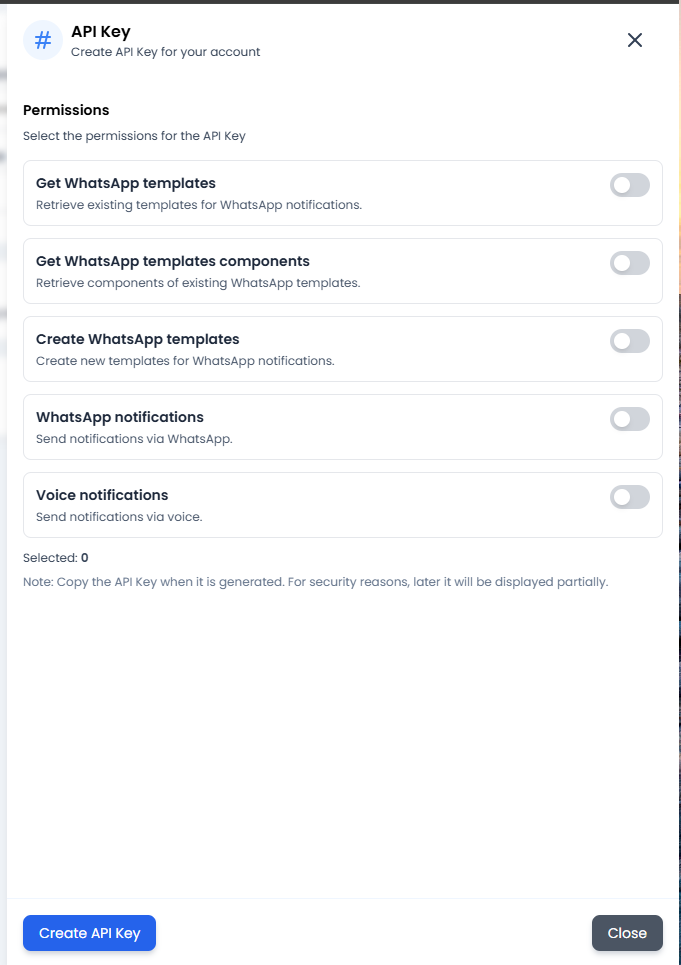
- 🔍 WhatsApp Templates: View existing templates and their components.
- 📝 Create Templates: Allow an external system to design and submit new WhatsApp templates.
- 🔔 Notifications (WhatsApp & Voice): Grant the power to trigger outgoing alerts or manage voice-related events automatically.
🎯 What is this used for in practice?
- Security: Keeping your password fresh and your profile updated ensures clear communication within the team.
- Efficiency: Admins use Agent Configuration to ensure no single person is overwhelmed with 50 chats at once.
- Automation: Use API Keys to connect your online store so that every time a customer buys something, the platform automatically sends them a “Thank you” message via WhatsApp.