
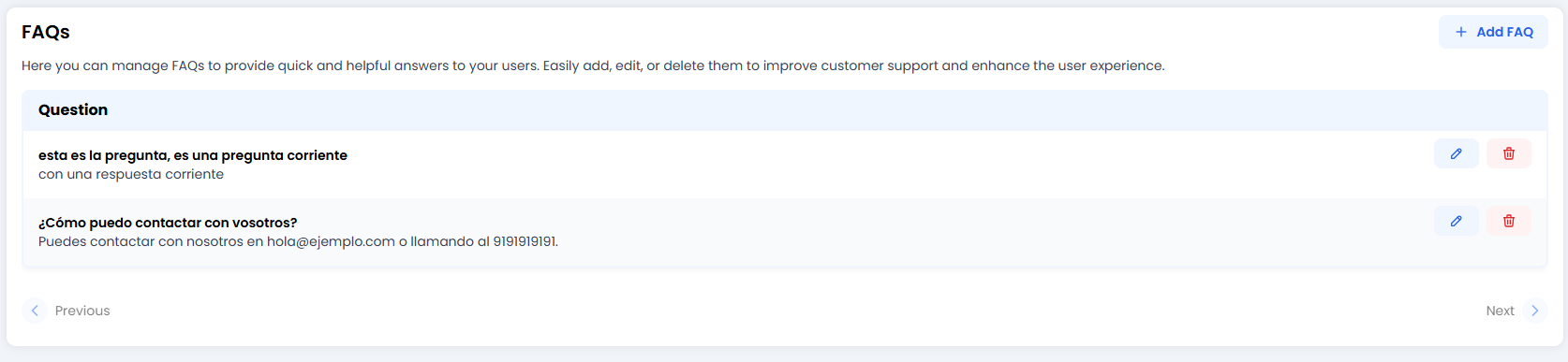
🎯 When should you use FAQs instead of General AI?
- Strict policies: Returns, warranties or legal terms where you can’t change a single word.
- Contact details: Email addresses or phone numbers (you don’t want the bot hallucinating a fake number).
- Step-by-step instructions: Guides that require formatting (bold text, lists) to be readable.
✍️ Creating your first FAQ (The Editor)
When you click + Add FAQ or the edit pencil ✏️, you enter the creation area.
1. Question
Write the question exactly as a user would ask it.- Example: “How can I contact you?” or “Returns”.
- Note: You don’t need to include every variation. The bot’s engine is smart enough to understand “Do you have a phone number?” even if you wrote “How can I contact you?”.
2. Answer (Rich Answer ✨)
Here you have a Rich Text Editor. Unlike simple fields, this is where formatting shines:- Bold (B): To highlight what matters most.
- Lists: Perfect for steps (1, 2, 3…).
- Links: Send users to your website.
- Tables: Organise opening hours or pricing.
3. Preview (Split View)
What you see is what you get! On the right (or below, depending on your screen), you’ll see a preview exactly as your customer will read it. It updates in real time as you type.🎓 Best Practices Summary (Cheat Sheet)
To keep your FAQs useful and not a wall of text:- ✂️ Keep it short: Nobody wants to read War and Peace in a chat. If the answer is long, add a summary and a link to “Read more on our website”.
- 🎯 One topic per FAQ: Don’t mix “How to buy” with “How to return”. Create two separate FAQs.
- 🎨 Use formatting: A big block of plain text is intimidating. Use bullet points or bold text for quick scanning.
- 🧹 Clean up: If you paste text from Word or PDF, always check the Preview to make sure the formatting hasn’t broken.
🚀 Ready-to-copy Examples
Example: Contact (Direct)Q: How do I contact support? A: You can email us at hello@example.com 📧 or call us on 0191 919 1919 (Monday to Friday, 9am–6pm).Example: Password Change (With Steps)
Q: I’ve forgotten my password / change password A: To reset it:
- Go to My Account.
- Click on Security.
- Select “Change password” and follow the steps.
🆘 Quick Troubleshooting
All done! With this, you have full control over what your agent says at the key moments. ✅